
Last verified: 25 September 2026. The sign-in steps and reset flow on this page were checked against the platform on that date. We re-check monthly and update this line when we do.
The short version: sign-in needs the mobile number you registered with and the password you set. The same two details work on the website and inside the Android app, because there is one account and one wallet behind them — nothing to sync, nothing to transfer. If the password is gone, the reset runs on an OTP sent to your registered number and takes a couple of minutes.
And whatever anyone tells you, genuine support never asks for your password and never asks for an OTP. Anyone who does is running a scam, not helping you. You must also be 18 or older to hold an account at all.
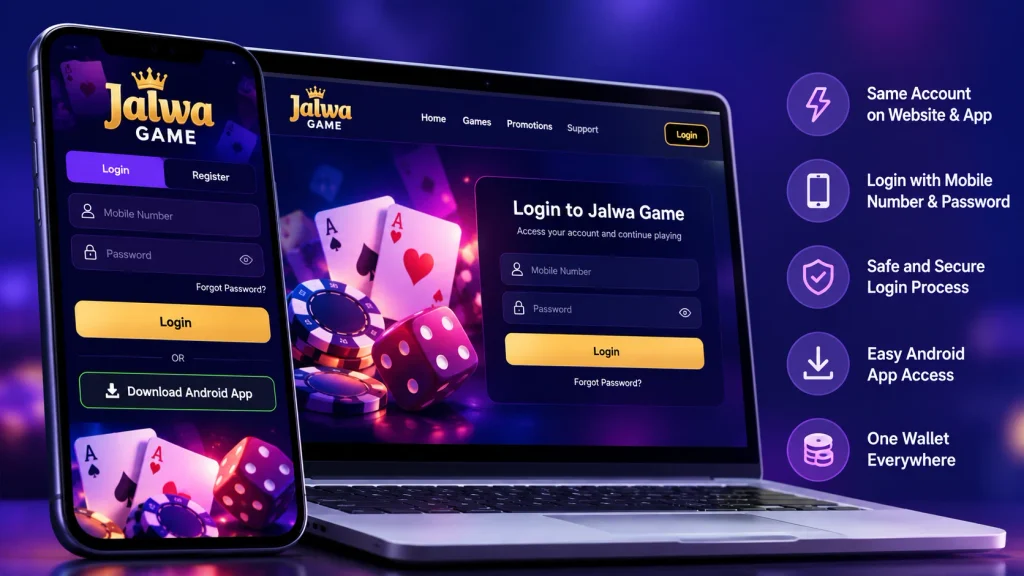
Table of Contents
Signing in, in four steps
Four steps, about two minutes. If yours fails, the troubleshooting table further down this page has your symptom on the left and the fix on the right.
- Open the official domain yourself. Type it into the address bar or use a bookmark you created. This is the step most worth being careful about, because look-alike pages exist and they do not need a working password to collect one.
- Enter your registered mobile number exactly as you gave it, including the country code.
- Type your password. Check the keyboard layout and that caps lock is off before assuming anything is wrong with the account.
- Submit. You land in your account with your wallet balance and the game list in front of you.
If step 3 is rejected twice, stop. Repeated guessing does not work, and a burst of failures is exactly what trips a protective account lock. Jump to the reset section instead.
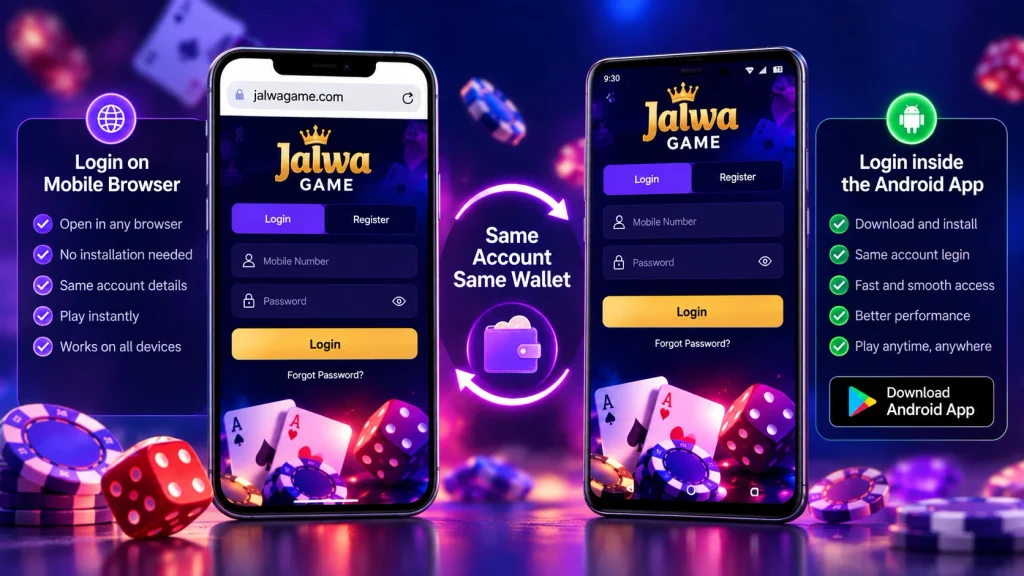
Where you can sign in
Three routes, one account. This table answers the two questions that come up most: where to sign in, and whether the iPhone needs anything different.
| Device | Route in | Credentials | Wallet |
|---|---|---|---|
| Desktop or mobile browser | Official domain, typed or bookmarked | Mobile number + password | Shared with everything else |
| Android phone, app installed | Free APK from the official app page — not the Play Store | Mobile number + password | Shared with the website |
| iPhone | Safari or any mobile browser, no app exists | Mobile number + password | Shared with everything else |
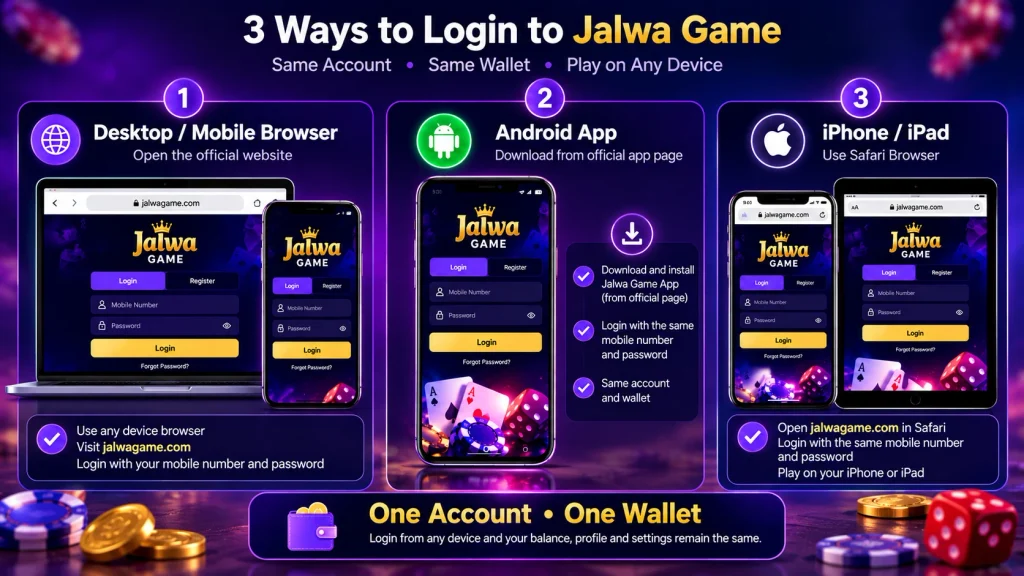
Two things this table settles. The Play Store is not involved in the Android route, which is why an APK link in a chat should make you suspicious. And the iPhone needs no different credentials, because there is one account rather than several.
Signing in inside the Android app
Install the free APK from the official site, open it, and enter the same mobile number and password you use on the web. The app does not have its own login system, its own code, or its own balance — the wallet that appears is the wallet you already had.
The app loads faster than a browser tab and can push notifications to your phone, which is the entire case for installing it. You can also decline the notifications, and given how these apps use them, that is the better default.
iPhone owners have no app to install. Open Safari, go to the official domain, and sign in exactly as you would on a desktop. The "Add to Home Screen" option gives you an icon without any install if you want something app-like.
Forgot your password? Reset it with an OTP
Five steps, and the only thing you need beyond them is the phone the account was registered with.
- On the login form, choose the password reset option.
- Enter the mobile number registered to your account.
- Wait for the OTP to arrive by SMS and type it into the form.
- Choose a new password — ideally one you have not used on a shopping or social account.
- Sign in with the new password and carry on.
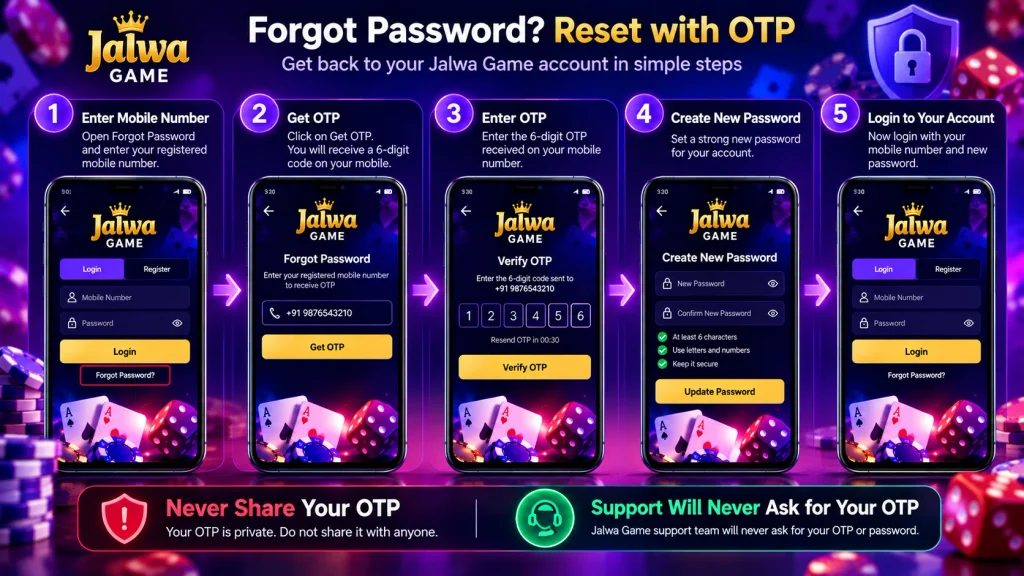
Guard that code the way you would guard a bank PIN, because functionally it is the same thing: while it exists, someone who has it can act as you. Genuine support has no need to receive it, ever.
If the code does not arrive
Check the spam or promotions folder in your messaging app first — automated codes are filed there more often than people expect. Then confirm the number digit by digit, check you have signal, and request the code once more, deliberately. Several rapid re-requests are what turn a small delay into a genuine problem.
If two or three correct attempts fail, stop requesting and contact support. The details that speed it up are on the support page, and the longer version is in the login problem guide.
Choosing a password worth keeping
Length beats cleverness. A passphrase built from three or four unrelated words is harder to crack and considerably easier to remember than a short string of symbols, and it does not make you write it down.
The single most important rule is that this password should not exist anywhere else. If you reused your shopping or email password here, one breach on that service hands over this account, because the person holding it already knows the pattern. Changing it here through the same reset flow takes a couple of minutes and removes the overlap entirely.
Sign-in habits worth forming
A short list, because login problems and account theft share the same doorway.
- Type the address, do not follow it. Save the official domain as a bookmark and start there every time. This removes the entire category of phishing-link risk in one move.
- Never share two things: your password and any OTP sent to your number. Not with friends, not with "support", not with anyone who messages you first.
- Treat a fee request as the alarm. Genuine support never charges a fee to release a prize, restore access or speed up a withdrawal. The request itself proves the scam.
- Log out on shared machines. On a library, café or family computer, sign out when you finish and decline the browser's offer to remember the password.
- Keep it adult. Accounts are 18+. Keep credentials away from anyone under 18 in your household, and never lend an account to another adult either — the one-account rule makes shared access a suspension risk for both of you.
- Set limits before you play, not after. Deposit cap and time cap, from your account controls, while you are still calm.
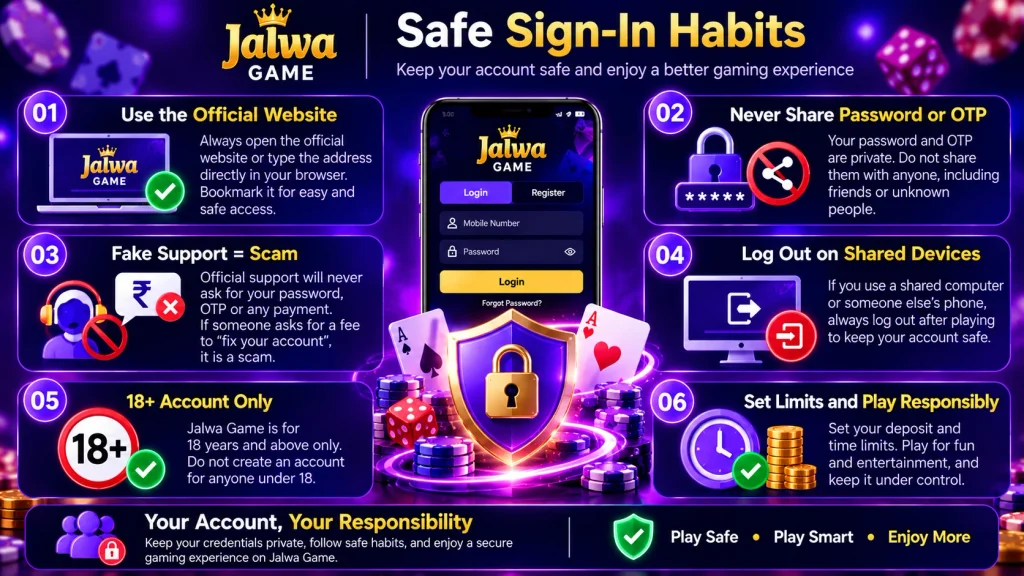
Cannot log in? Start with your symptom
Most failed sign-ins are one of six things. Find yours in the left column and work down that row rather than trying fixes at random.
| What you see | Try this first | If it still fails |
|---|---|---|
| Password rejected | Turn off caps lock, check the keyboard layout, then run the OTP password reset | Reset once more. If it fails again, contact support rather than guessing a third time |
| OTP never arrives | Check the SMS spam folder, confirm the number digit by digit, confirm signal, re-request once | Contact support on live chat. Multiple rapid requests are what usually caused the silence |
| Number not recognised | Use the number you registered with — one account exists per adult per number | Support can confirm what the account is filed under |
| Page will not load | Switch browser or network, confirm you are on the official domain, try the Android app | Report the exact URL you reached, so a redirect problem can be checked |
| Works on site, fails in app | Check the entry, then run the reset from the app's own login screen | Clear the app's stored data, or reinstall the official APK |
| Account locked | Honour the wait time shown on screen. Repeated failures are the usual cause | If the lock outlasts the stated window, contact support and say how many attempts failed |
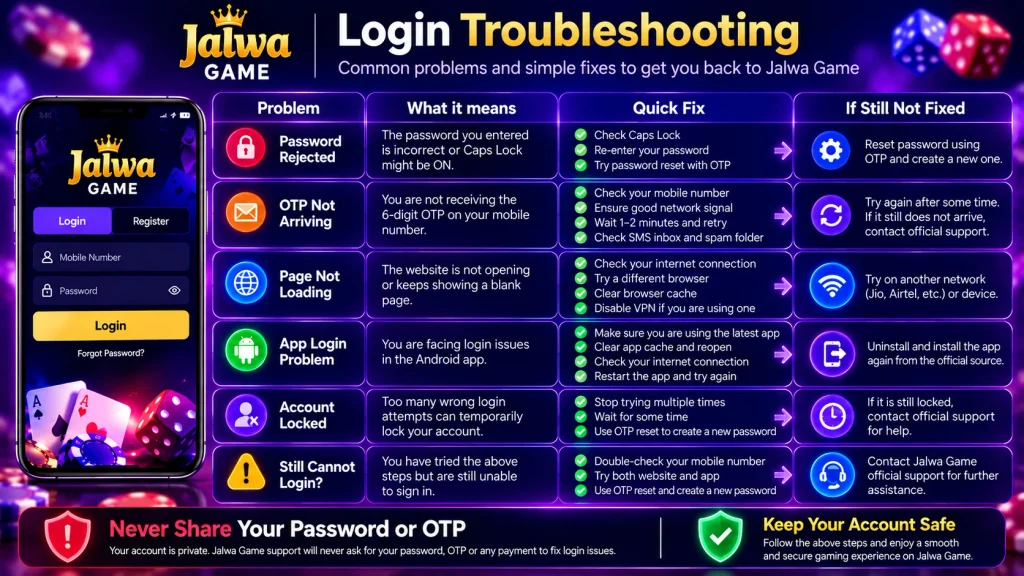
Anything outside that table is handled in more depth by the login troubleshooting article on this site's blog, including app crashes, network errors and the SIM-swap case where the OTP keeps going to a number you no longer hold.
Copycat sites and fake support
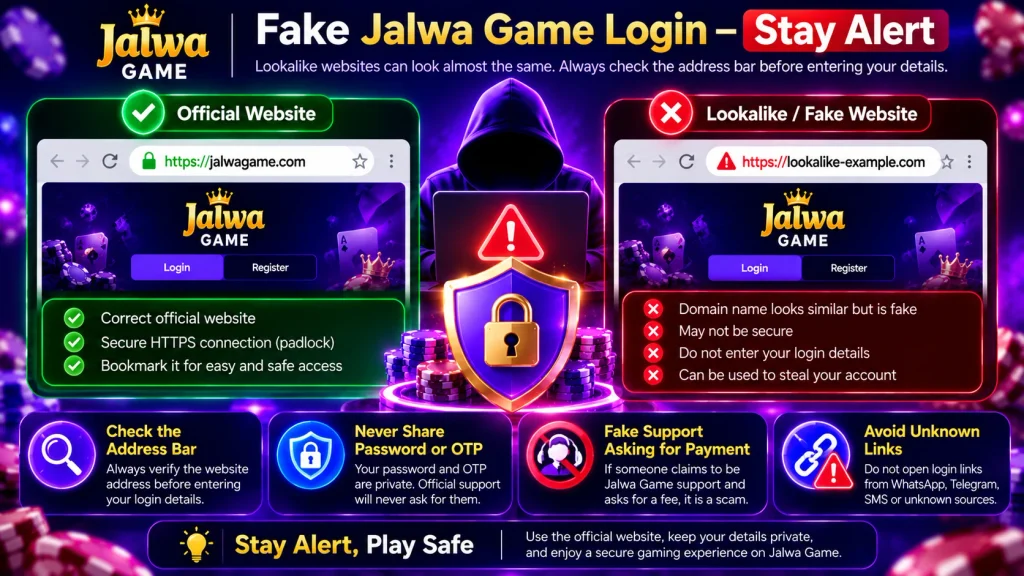
Fraudsters copy the branding of platforms like this one, buy similar-looking addresses, and run adverts against the brand name so their page appears first. The page you land on looks correct, the logo is right, and the login form asks for exactly what a real one would. The only thing that differs is what happens to what you type.
Three rules catch nearly all of it. First, check the address bar against the official domain before typing anything, and bookmark it. Second, real support never asks for your password or an OTP — there is no verification process that requires either. Third, nobody legitimate charges a fee to release a prize or push a withdrawal through, and the moment one appears you are being scammed.
If a message sends you to a login page, close it and type the official address yourself. Links in WhatsApp, Telegram and group chats are the standard delivery route for these pages. The official website verification guide goes into the specific patterns in more detail, and if you have already entered details on a page you now doubt, reset the password through the legitimate flow and report it through official support.
When to contact support, and what to send
When the fixes above are exhausted, stop troubleshooting and start a conversation. Support runs 24/7 on WhatsApp, email and live chat, and resolves faster when the first message is complete. Three details do almost all of the work:
- Your registered mobile number — the one tied to the account, so it can be located.
- Which feature the problem appears on — the app login screen, a deposit screen, a specific game lobby. Context narrows the search considerably.
- A screenshot of the exact error — the message as it appears, not a description from memory. A picture settles ambiguity in one glance.
Never send a password or an OTP, even if the person on the other end sounds official and helpful. Real support does not need either, so a request for one identifies the person as a fraud rather than delaying your case.
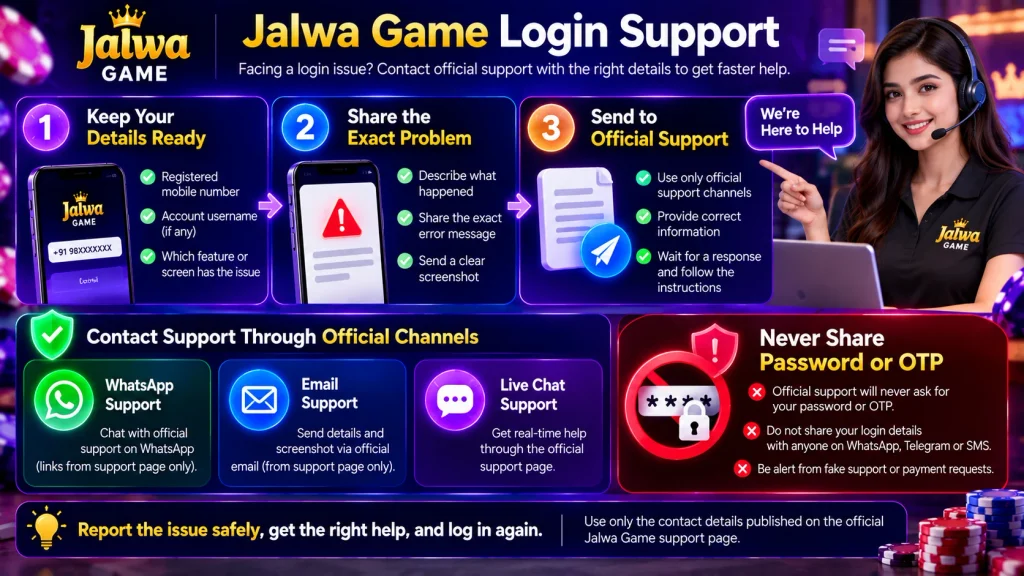
Use only the contact details published on the support page. Numbers and WhatsApp IDs arriving in unsolicited messages are part of the scam rather than the support line, and that distinction is the whole reason this section exists.
30 questions about the Jalwa Game login
These are the questions that genuinely come up, not fifty ways of asking the same thing. Cross-topic questions are collected on the common questions page.
1. What do I need to log in to Jalwa Game?
Two things: the mobile number you registered with and the password you chose. No separate username, no app-only code. The same pair works on the website and inside the Android app.
2. How do I log in to Jalwa Game?
Official domain, mobile number, password, submit. You land in your account with your balance and the game list. If the password is rejected, run the OTP reset rather than trying again.
3. Jalwa Game login kaise kare?
Mobile number, password, submit — that is the whole login. Use a bookmark you made yourself, not a link from a chat, because lookalike pages look identical until you read the address bar.
4. Can I log in on the website?
Yes, and the wallet you see there is the same one the app uses. Bookmarking the real address is what saves you from the copycat pages that imitate it.
5. How do I sign in inside the app?
Install the APK, open it, and type the same credentials. Sign-in is not a separate process. The app loads faster and can notify you, which is the whole reason to install it.
6. Can I log in on an iPhone?
Yes, through Safari or any mobile browser. There is no iOS app, so that is the route. Your balance follows because one wallet backs every route in.
7. I forgot my password. What do I do?
Use the reset option on the login form, enter your registered number, type the OTP that arrives, set a new password, sign in. A couple of minutes, and nobody's help but your own phone.
8. How long does a password reset take?
A couple of minutes, with the only delay being the SMS arriving. If it consistently does not arrive, work through the spam folder, signal and number checks before requesting repeatedly.
9. Where does the reset OTP arrive?
As an SMS to the number registered on your account. That is why the phone attached to the account matters more than any email address, and why keeping that SIM reachable matters.
10. When does Jalwa Game ask for an OTP?
At registration and at password reset. Ordinary sign-in uses number and password alone. A page demanding an OTP outside those two flows is not a real login page.
11. Will support ever ask for my OTP?
Never. There is no technical reason for genuine support to have it, and the request itself identifies an impersonator. End the conversation and report it.
12. Will support ever ask for my password?
No. Support can guide you through the reset without knowing it. Anyone requesting it, whoever they claim to be, is scamming you. If you shared it, reset it now.
13. What if I type the wrong password several times?
Stop guessing and run the OTP reset. Check caps lock and keyboard layout first, since a stray shift key causes most of these. A burst of failures is what locks accounts, not a single mistake.
14. My OTP never arrived. What should I check?
Spam folder, signal, and the number digit by digit. Then re-request once, deliberately. If a second attempt fails, contact support rather than building a pile of pending codes.
15. Can I reset my password without my phone?
Not through the standard route, because it depends on an SMS to your registered number. If that SIM is gone, contact support through the official site. Do not let a stranger offering to help collect your details instead.
16. Can I change my password at any time?
Yes, through the same reset flow, not only when you have forgotten it. A periodic change is sensible after any session on a shared machine. Pick something unused elsewhere.
17. How do I know the login page is genuine?
Read the address bar against the official domain, then bookmark it. Real pages never need you to "verify" by handing a password or a code to a chat window.
18. What should I do if a message sends me to a login page?
Close it and type the official address yourself. An urgent prize claim alongside the link is the second red flag. Report the message through official support.
19. Do I need the app to log in?
No. The website takes the same number and password and nothing is app-only. The app is an option for speed and notifications, not a requirement.
20. Where do I download the official app?
From the official app page, where the free APK is published. It is not on the Play Store, so any other source is outdated or is not the platform at all.
21. My password works on the site but not in the app. Why?
Usually a typo, a cached session, or a password changed on the web after installing. Check the entry, reset from the app's login screen, and clear stored data if it persists.
22. I registered with a different number. Which one do I use?
The one you registered with, since an account is tied to one number and one adult. Support can confirm which it is through official channels. Do not register a second number to work around it.
23. I do not have an account yet. What first?
Register — mobile number, OTP, password, about a minute, free. Your credentials then exist, and this page becomes useful. 18+ only.
24. Why would my account be locked?
Too many failed attempts, or a burst of OTP requests, trips a protective lock that looks like a rejection from your side. Honour the stated wait, then contact support if it outlasts that.
25. Is help available at night?
Yes — WhatsApp, email and live chat all run 24/7, so a 2am problem gets the same attention as a noon one. Use only the details published on the official domain.
26. What should I tell support about a login problem?
Your registered number, when it started, and exactly what the screen showed. Never a password or an OTP. A screenshot of the error helps more than a description.
27. Is there any charge for logging in?
None. Accessing your account costs nothing, and money only moves when you choose to deposit, with ₹100 as the floor. Be suspicious of any "access fee" or "unlock fee".
28. Where is my money after I sign in?
In the single wallet attached to your account, following you across the website and the app. Deposits on one route appear on the other with no transfer, and withdrawals come out of the same balance from ₹100.
29. How do I log out safely on a shared device?
Sign out rather than closing the tab, decline password saving, and clear anything the browser stored. Your own phone is the better option for anything involving money.
30. Should I set a limit before logging in?
Yes — deposit cap and time cap, set while you are calm. Once you are in, the deposit guide covers funding, and the limits page covers staying inside it.